Build a bulk indexing tool in Python
Here's how you can build your own tiny bulk indexing tool in Python with the Google Indexing API.
I use this when I have a lot of internal pages I want to get indexed and to do it with IndexMeNow would be too expensive.
Breaking this into a thread b/c it's easier to read:
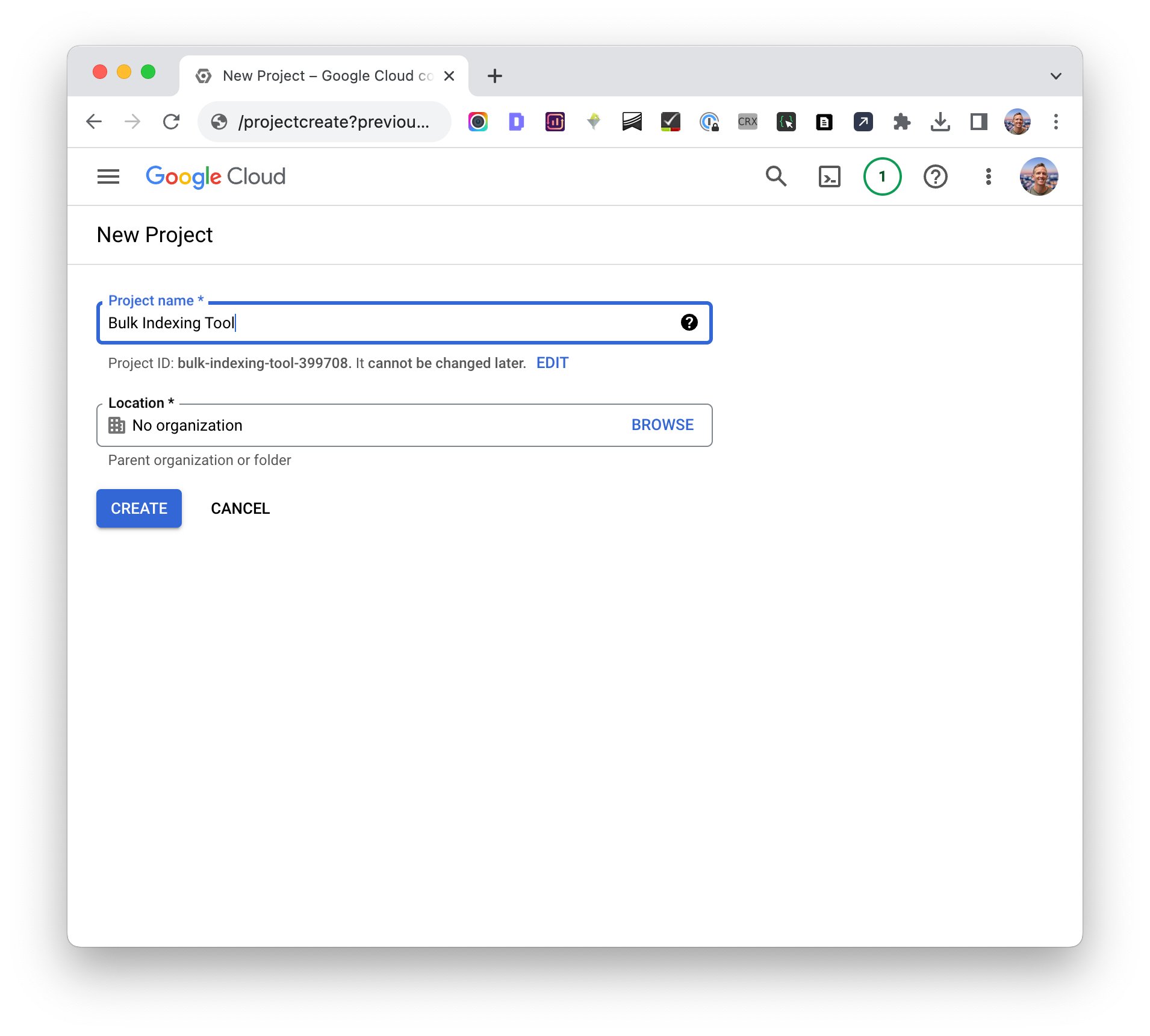
First thing you do is head to Google Cloud console (https://console.cloud.google.com/) and set up a new project.
I'll call it Bulk Indexing Tool.
Note, you need to setup your billing account even though the API is free!
Once the project is created, you need to enable the Indexing API. Click "Enable APIs and Services" and find the indexing API to enable it on your account.
When that's done, it's time to create some credentials so our Python script can authenticate with the API.
Go to IAM & Admin -> Service Accounts and click Create Service Account. Give it a name and a description.
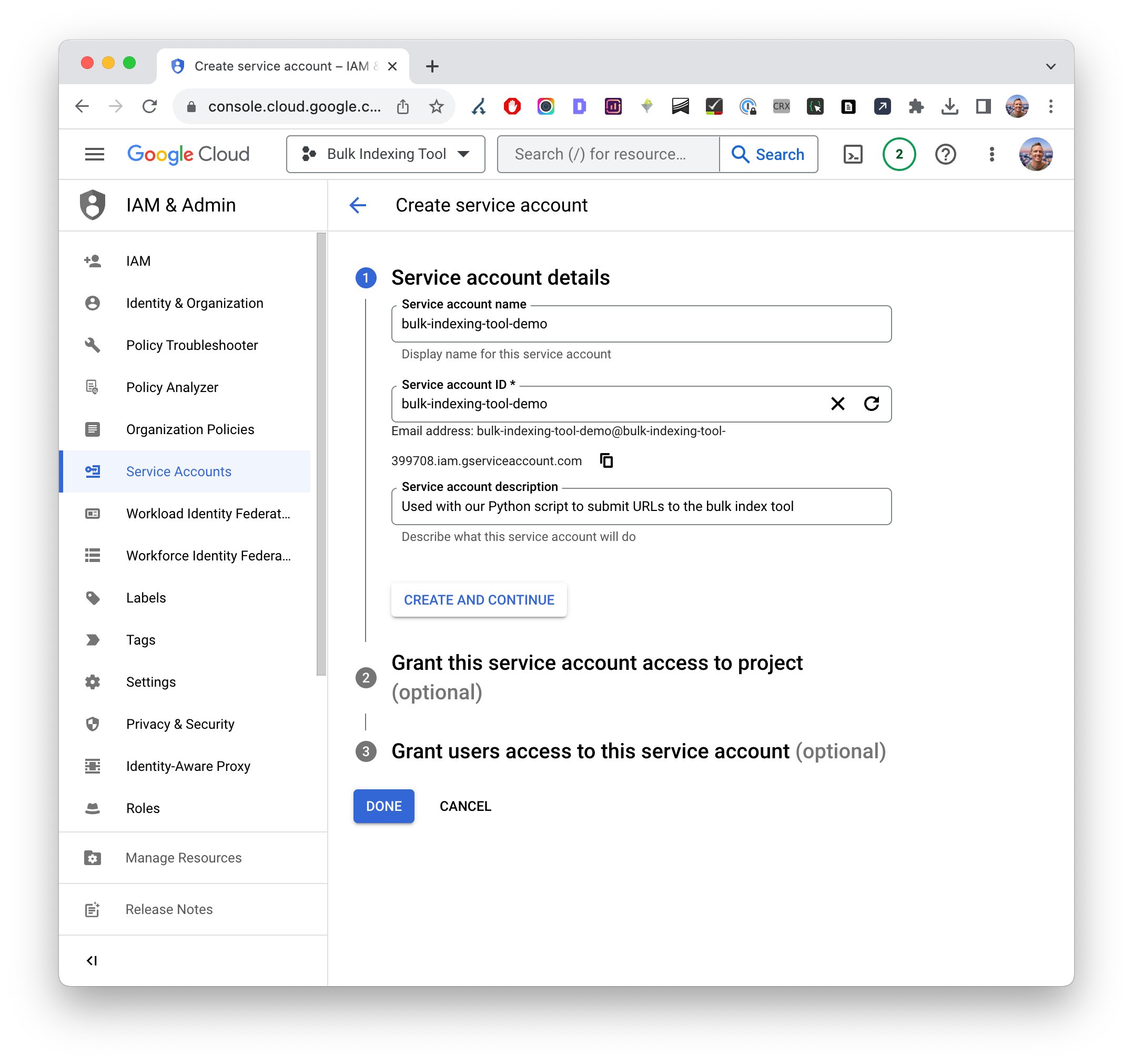
I know, setting this up is an absolute snooze fest, but we're nearly done.
Click your newly created account and go to the Keys tab.
Click Add Key -> Create new key
Choose JSON
Click Create
Your .json key file will automatically download.
Rename that file to "credentials.json" and move it to the Python project folder.
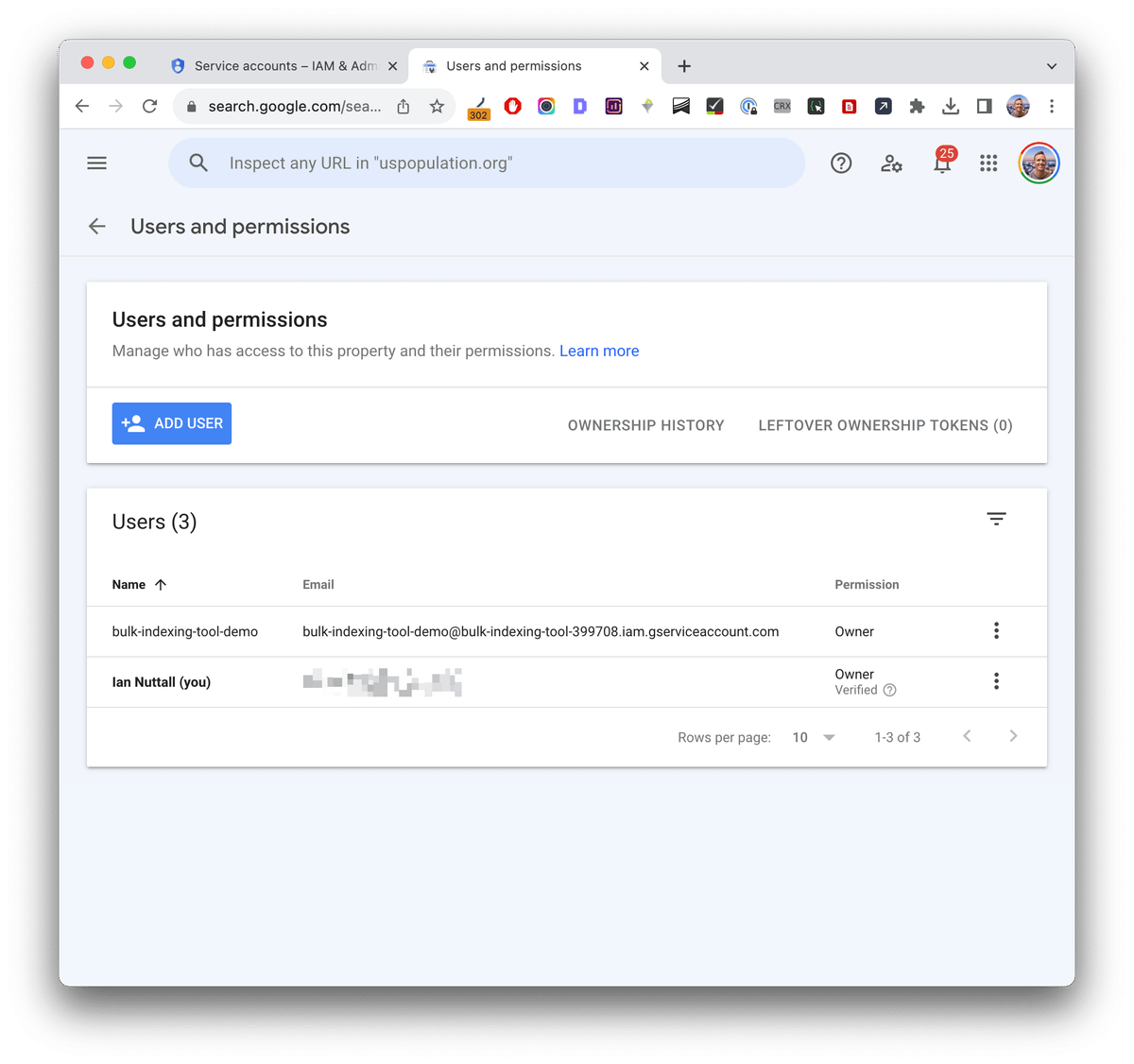
Make sure to copy the service account email address and add it as an "Owner" on your Google Search Console account for the specific site.
Install the packages using pipenv and the Pipfile or the requirements.txt file.
Now we need to load up some URLs to the database. Add your list of URLs to the urls.txt file.
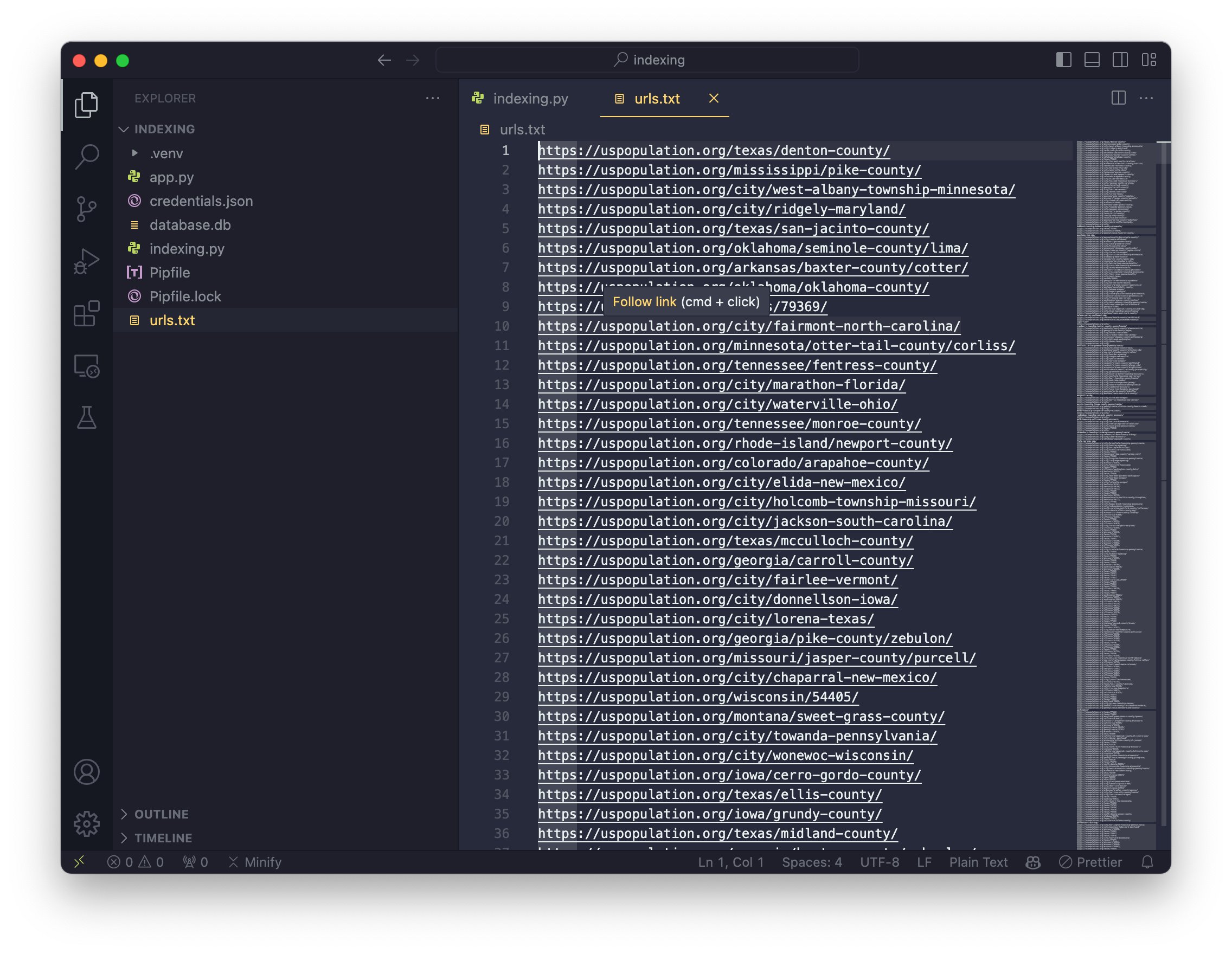
From the command line, run:
pipenv run python indexing.py load urls.txt
This will take all of the URLs from that text file and add them into the database.db file. Your urls.txt file will now be empty, but those URLs will be in the database.
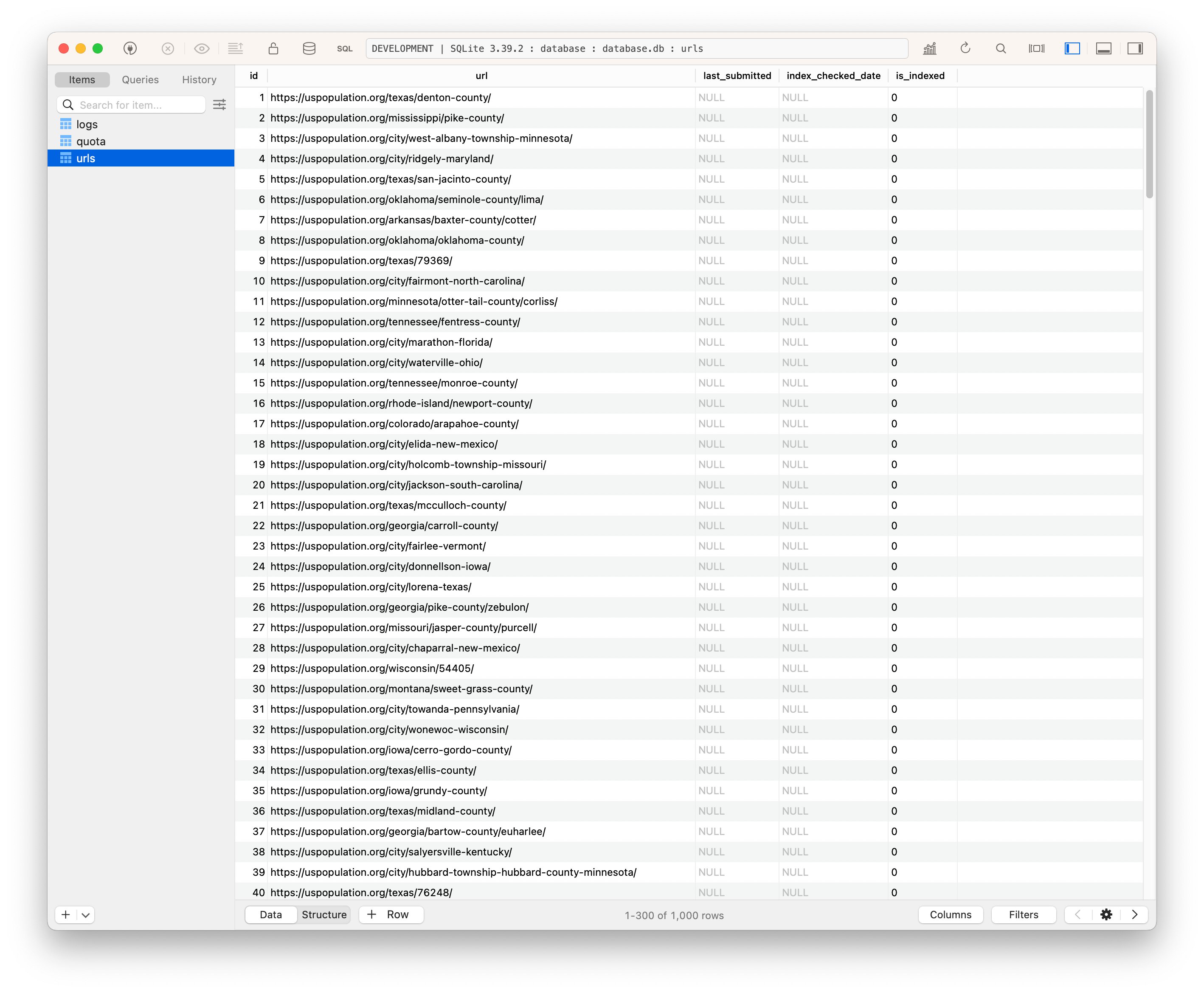
FINALLY - to actually submit your 200 URLs for indexing, run:
pipenv run python indexing.py index
A maximum of 200 will be processed on any given day, but this too could be expanded if you create multiple service accounts and expand the code to use each of them.
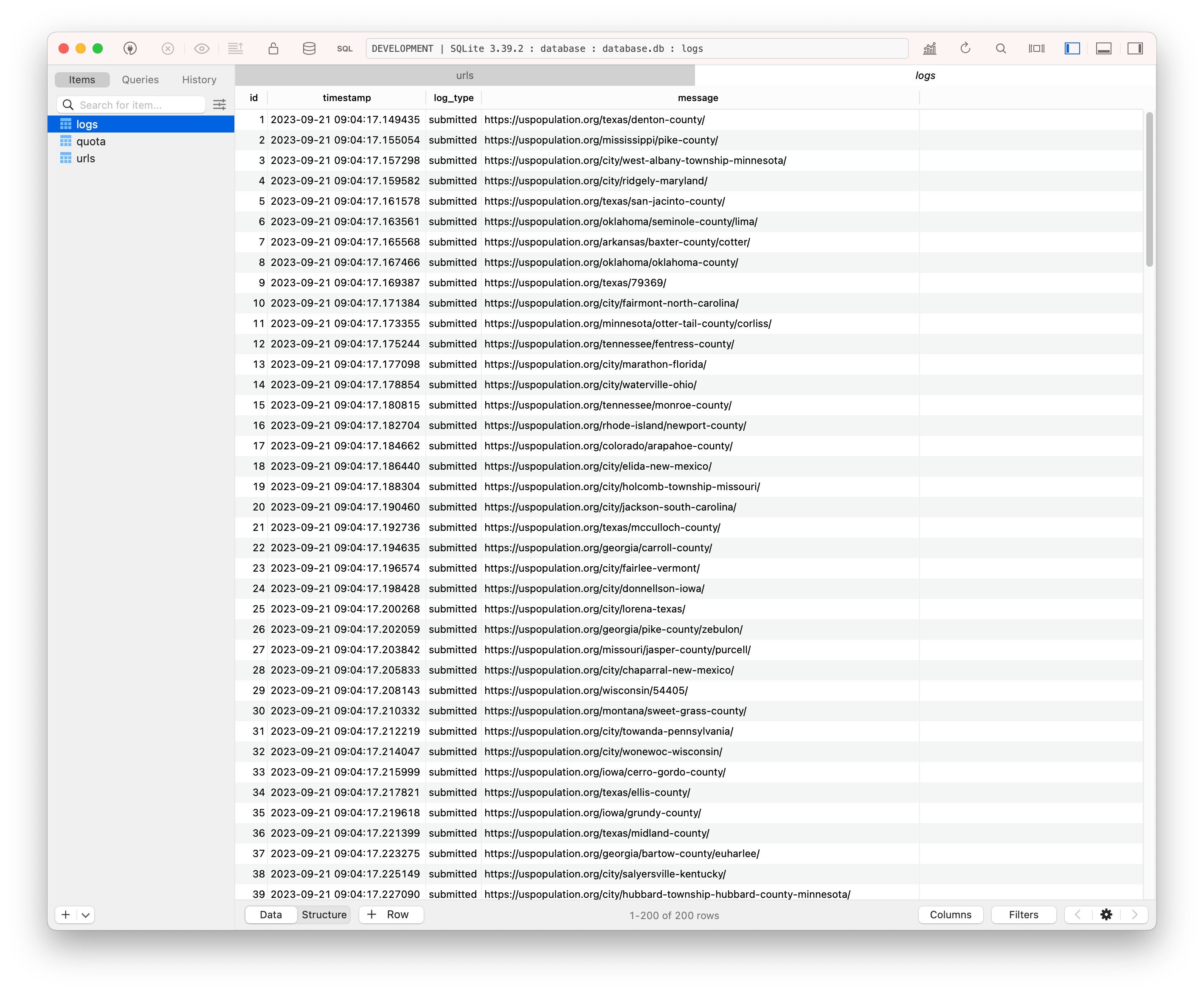
Once that has run, you should see in the logs that they were submitted successfully to the Indexing API:
You can run this daily to index your URLs & add more using the urls.txt and load parameter.
Smart cookies might be able to build a simple interface for this. You can submit more than 200 URLs a day if you set up multiple projects with a service account for each in Cloud Console.
Give it a try and let me know what you think. My plans to improve this include:
- Increasing daily limit from 200 URLs
- Check URL index status before submission
- Get URLs from XML sitemaps in Search Console